
How I Built a Real-Time Lip Sync Avatar with Open-Source MuseTalk
A practical case study on MuseTalk, GPU streaming, and the latency problems I faced
 CodeLevel Team10 min read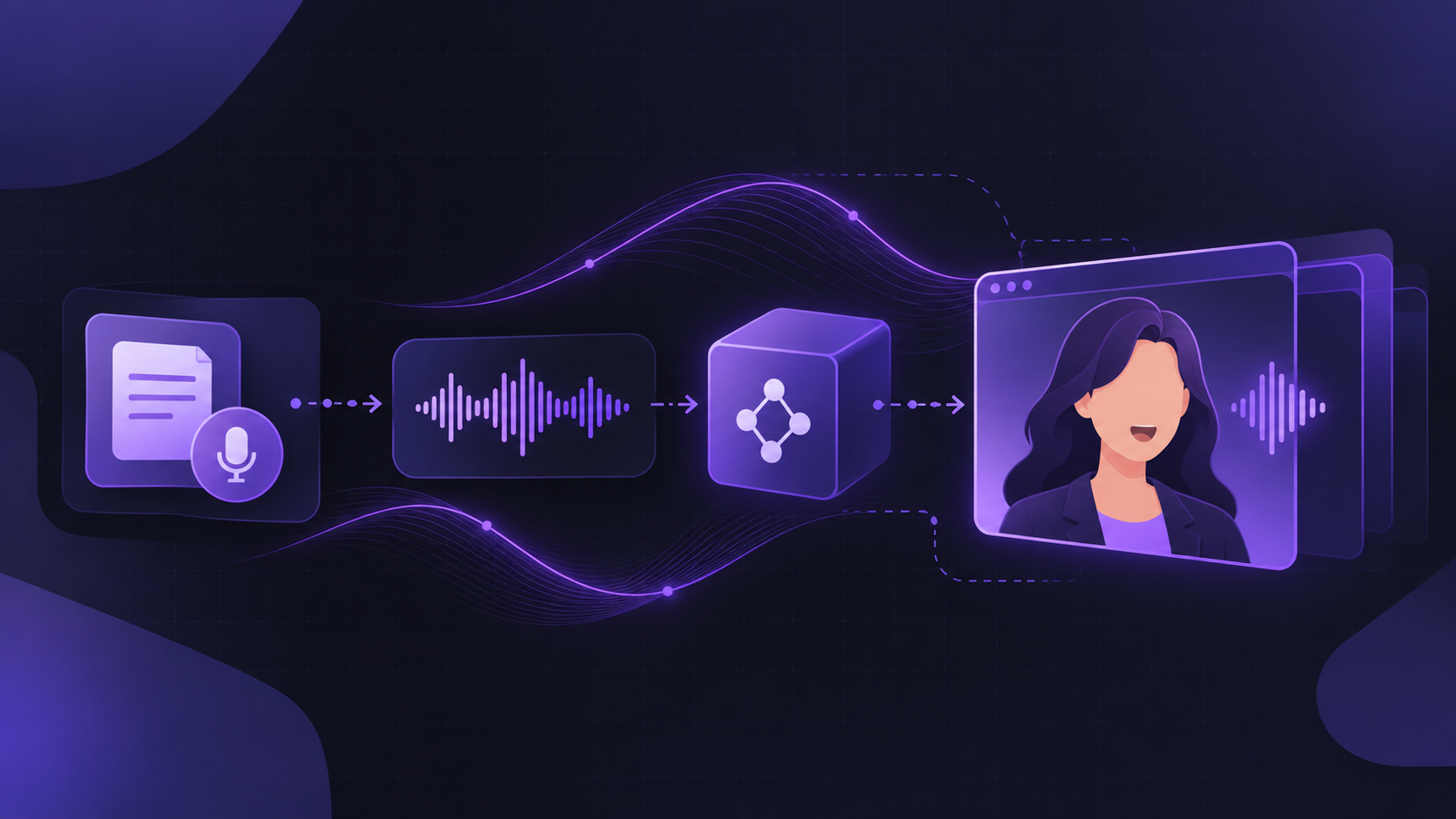
I recently worked on a project where we had an interesting requirement: a conversational AI Avatar that can speak along with the generated audio.
Creating an avatar that speaks with audio is not that difficult if we are okay with generating a video first. The challenging part starts when we want the avatar to speak in real time. Generating a video live and streaming it while the conversation is happening can become both technically challenging and expensive.
So, instead of directly jumping into implementation, I started by looking at different approaches and models.
Why I Chose an Open-Source Model
Initially, I researched different video generation models and paid options. Some of the available options looked promising, but I was still facing the same two major problems: real-time generation and cost.
I then explored some open-source options like MuseTalk, Wav2Lip, and SadTalker. Among these, MuseTalk gave me better results for our use case and also had a streaming pipeline that looked closer to what we needed.
According to the MuseTalk documentation, a V100 GPU can be used for streaming. Since I wanted to test the pipeline with a more powerful GPU, I decided to start with an A100 and see how far I could push the performance.
For the experiments, I used a cloud GPU environment. The main goal at this stage was simply to validate whether the approach could work in real time.
What I Was Trying to Build
The idea was to create a conversational AI avatar that can listen to audio, generate a response, convert that response into speech, and then make the avatar speak along with that audio.
For this to feel like a natural conversation, the avatar cannot just generate a complete video and play it later. The video needs to be generated and delivered while the conversation is happening.
MuseTalk works by taking an existing video of a person and changing mainly the lower part of the face according to the audio. The original video provides the background, eyes, head movement, and other parts of the face. This makes the approach more practical for real-time generation.
The Overall Pipeline
I kept the system in two main parts: a GPU service responsible for generating the lip-synced video, and the application backend responsible for managing the conversation.
The user provides an audio input.
Speech-to-text converts the audio into text.
The language model generates a response.
Text-to-speech converts that response into audio.
The audio is sent to the GPU service.
MuseTalk generates the lip-synced frames.
The frames are blended with the original video.
The frames are encoded as H.264.
The browser receives and plays the video along with the audio.
One important thing I learned here is that the AI model is only one part of the system. There are many other things between the model and the user, and those parts can easily become the actual bottleneck.
Preparing the Avatar Before the Conversation
One of the first things I changed was separating the expensive work from the live path.
Before the conversation starts, I download the required models and preprocess the avatar's source video. This includes detecting the face, cropping the required area, converting the frames into the format required by the model, and preparing the blending masks.
The main idea is simple: don't repeat expensive work during the conversation if it can be prepared beforehand. Preparing reusable data in advance makes the live pipeline much lighter.
Problem 1: Getting the Research Code to Run
Before I could even start testing the streaming performance, I had to deal with the dependencies.
MuseTalk is research code, so some of its dependencies are tied to older versions. I ran into conflicts between PyTorch, diffusers, huggingface_hub, mmcv, and NumPy.
I had to follow the compatible PyTorch and CUDA versions recommended by the project.
Different versions of diffusers and huggingface_hub were not always compatible with each other.
A newer NumPy version caused problems with the older PyTorch setup, so I had to pin a compatible version.
I also ran into deployment issues where required project files were not available inside the running environment.
The main lesson for me was simple: when working with research models, don't blindly install the latest versions. The versions used by the original project are often there for a reason.
Problem 2: Sending Every Frame as an Image
In my first streaming version, I was sending every generated frame as a JPEG. The first frame arrived quickly, so initially it looked like the pipeline was working.
But when I tried to stream a longer video, the complete video took much longer than expected.
My first assumption was that the GPU was too slow. Then I thought frame blending was the problem. After that, I suspected that sending thousands of small messages was causing the delay.
All three assumptions were wrong.
I started measuring each stage separately and found that the GPU was generating frames fast enough. The bigger problem was the amount of data being sent over the network.
A single JPEG frame was relatively large, and sending many frames every second quickly increased the bandwidth requirement. This became even more noticeable when the GPU and the user were in different regions.
To confirm that the GPU was not the main problem, I also tested the network separately without running the actual model. The result showed that the network connection itself was limiting the stream.
So the problem was not simply compute. I was generating the frames fast enough, but I was not moving them efficiently.
The Fix: Stop Sending Pictures
The solution was to stop treating every frame as an independent image.
I switched from JPEG frames to H.264 video encoding. Video codecs are designed for exactly this kind of situation. Consecutive frames of a talking face are very similar, so the codec can store the differences instead of sending the complete image every time.
This reduced the amount of data that needed to be transferred and made the streaming pipeline much more practical.
This was a good reminder for me: before optimizing the model, measure the whole pipeline. Sometimes the GPU is not the bottleneck at all.
Problem 3: More Threads Didn't Solve the Problem
After fixing the network issue, the next bottleneck appeared inside the server.
I split the pipeline into multiple stages so that GPU generation, frame blending, and video encoding could work at the same time. The overall performance improved, but something felt wrong.
The individual stages were actually becoming slower when I added more threads. The main reason was Python's Global Interpreter Lock (GIL), which limits how much Python code can execute in parallel across threads.
Instead of adding even more threads, I looked at what the blending code was actually doing.
The original code was processing the complete video frame even though only a small area around the mouth was changing.
I changed the blending step to work only on the required crop. This reduced unnecessary processing and improved the generation speed significantly.
I also compared the optimized output against the original output to make sure the optimization was not changing the visual result.
The lesson here was that optimization is not only about making something faster. I also need to make sure that the optimization does not change the output.
Problem 4: The Avatar Started Talking Too Fast
Once the server became fast enough, I found another problem that was easier to notice from the user's side.
The server was generating frames faster than real time. If the browser displayed every frame immediately after receiving it, the avatar would appear to talk much faster than the audio.
So I made the audio the main clock for playback.
Buffer a small amount of video before starting playback.
Start the audio and video together.
Use the current audio position to decide which video frame should be displayed.
If a frame is slightly late, hold the current frame.
If the video falls behind, skip ahead to catch up with the audio.
For decoding the H.264 stream in the browser, I used WebCodecs. This allowed the browser to decode the video directly instead of requiring me to package the stream into MP4 fragments.
This part taught me that real-time video is not only about generating frames quickly. Playback and synchronization are equally important.
Problem 5: The GPU Wasn't the Only Source of Latency
Once the video pipeline was working, I connected it with the complete conversational flow.
A single conversation turn involves several services: speech-to-text, the language model, text-to-speech, the GPU service, and finally the browser.
When I measured the complete flow, I noticed that a large part of the waiting time was coming from the chain of API calls and the network between them, rather than from the GPU itself.
That changed how I looked at the problem. Instead of only optimizing the GPU, I started looking at the complete request flow.
Some Small Changes That Helped
I reused connections to external services instead of creating a new connection for every request.
I reduced the size of audio data being transferred through the system.
The application started uploading audio in small chunks while the user was still speaking.
I tested different audio bitrates instead of reducing the quality based only on assumptions.
I also had a funny debugging moment here. For some time, an audio input was returning an empty transcript. I was looking for a bug in my code until I checked the raw response and realized that the audio input itself was the problem.
It was a good reminder to log the raw data when debugging. Sometimes the problem is not in your code.
Problem 6: Cold Starts with a Serverless GPU
Using a serverless GPU can help control cost because the GPU does not need to run continuously. But this also introduces another problem: cold starts.
When a fresh GPU environment starts, it has to initialize the environment, load the models into GPU memory, and warm up the pipeline. This can add noticeable waiting time before the first response.
There is also a trade-off on the other side. Keeping a GPU environment warm reduces the waiting time, but it also means paying for resources while they are idle.
For a production system, this becomes a balance between user experience and infrastructure cost.
What I Learned From This
The model is only one part of a real-time AI system. The engineering around it can matter just as much.
Measure first. My first assumptions about the bottleneck were wrong.
A powerful GPU cannot fix a slow network connection.
Adding more Python threads is not always the answer. Sometimes reducing the amount of work is better.
For talking avatars, keeping audio and video synchronized is more important than simply generating frames quickly.
Logging raw responses can save a lot of debugging time.
What's Next
There are still a few things I would improve before considering this production-ready.
Move the GPU closer to the users to reduce network latency.
Reduce or hide cold-start time with warm-up requests or a warm container during active hours.
Overlap more parts of the speech-to-text, LLM, and text-to-speech pipeline instead of running everything strictly one after another.
Add proper authentication, monitoring, and lip-sync quality evaluation.
Final Thought
The most interesting part of this project was that the difficult problems were not always where I expected them to be. At first, I thought the main challenge would be making the avatar generate video fast enough. In practice, the network, encoding, Python processing, browser playback, API latency, and GPU cold starts all became part of the problem.
That is probably the biggest thing I learned from this project: building a real-time AI feature is not just about finding a good model. You have to look at the complete path from the user's audio input to the final frame on the screen.

Written by
CodeLevel Team
Engineers and product people building web, mobile, and AI products at CodeLevel.